Monthly accounts
Each customer’s plan, price, service days, time window, access notes and instructions for your cleaners, with your monthly revenue and estimated profit.
Apps · PlazaRoute 2.1
For cleaning businesses with weekly customers, like restroom cleaning for restaurants, salons, gyms and offices. Keep your monthly accounts, check off every visit, plan the day plaza by plaza, send the stops to your cleaners’ phones, and let customers book you online.
Mac and Windows · Phone and tablet version you host yourself · Pay once, no subscription
Watch the walkthrough Buy PlazaRouteThe walkthrough covers your numbers, connections and backups, monthly accounts, the visit log, route days, Team & jobs and your cleaners’ phones, setting up online bookings, what your customers see, handling bookings and payments, revenue, pricing a new customer, finding customers, your prospects, plaza days, outreach and open dates, and the phone version. Large captions explain each step, so it works with the sound off. The businesses, people and phone numbers in the video are made up, and the business searches are simulated.
Chapters: 0:00 Start here · 0:55 Your numbers · 1:48 Connections & backup · 2:49 Accounts · 3:56 Visit log · 4:40 Route day · 5:36 Team & jobs · 6:46 Your cleaners’ phones · 8:19 Bookings setup · 9:51 Your customers book · 10:55 Handling bookings · 12:33 Revenue · 13:05 Price a new customer · 13:45 Find customers · 14:19 My prospects · 14:57 Plaza days · 15:49 Outreach & open dates · 16:23 On your phone
Each customer’s plan, price, service days, time window, access notes and instructions for your cleaners, with your monthly revenue and estimated profit.
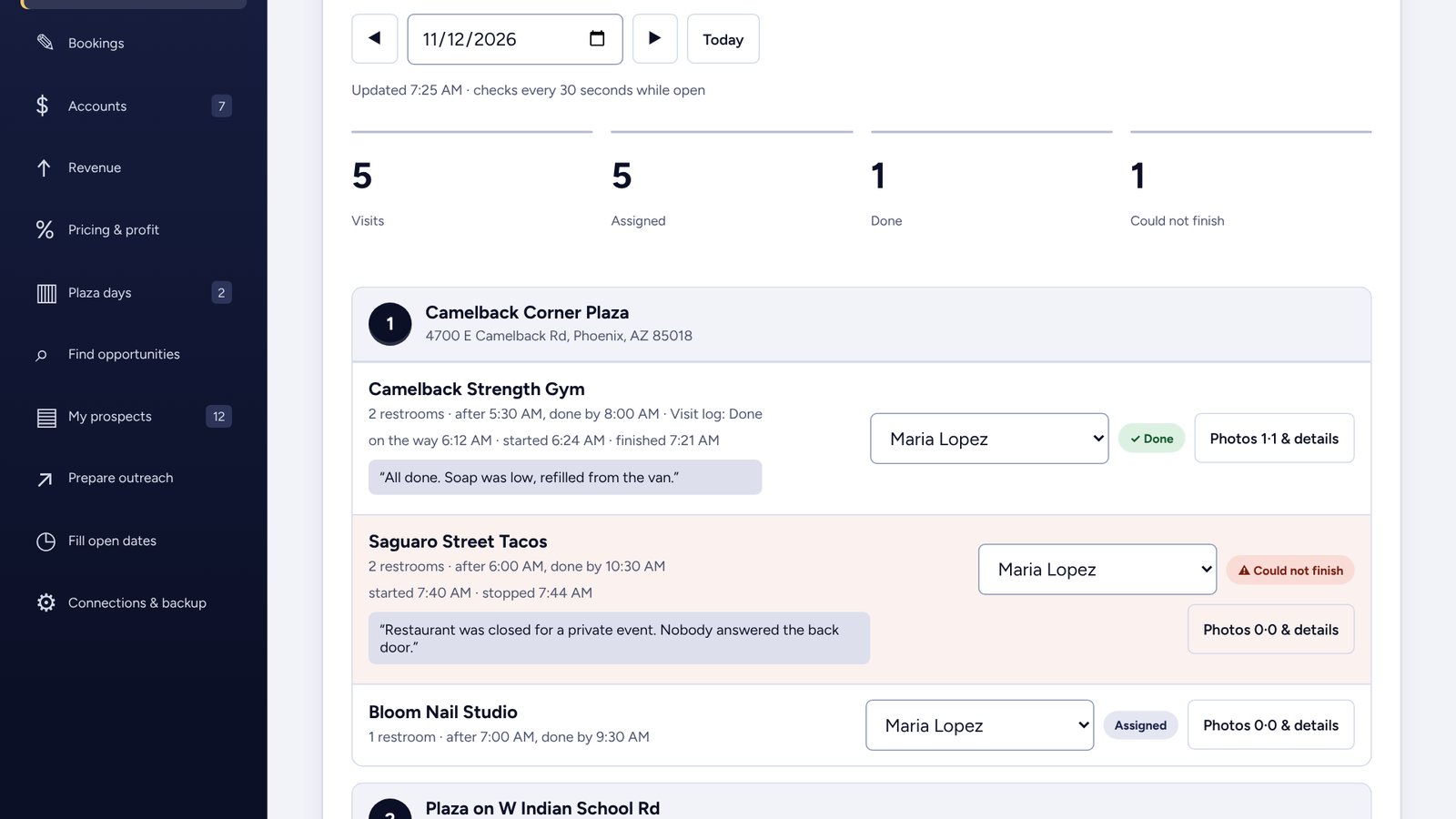
Check off each visit as it’s done. Missed, skipped and moved visits stay on record, and visits nobody logged are flagged.
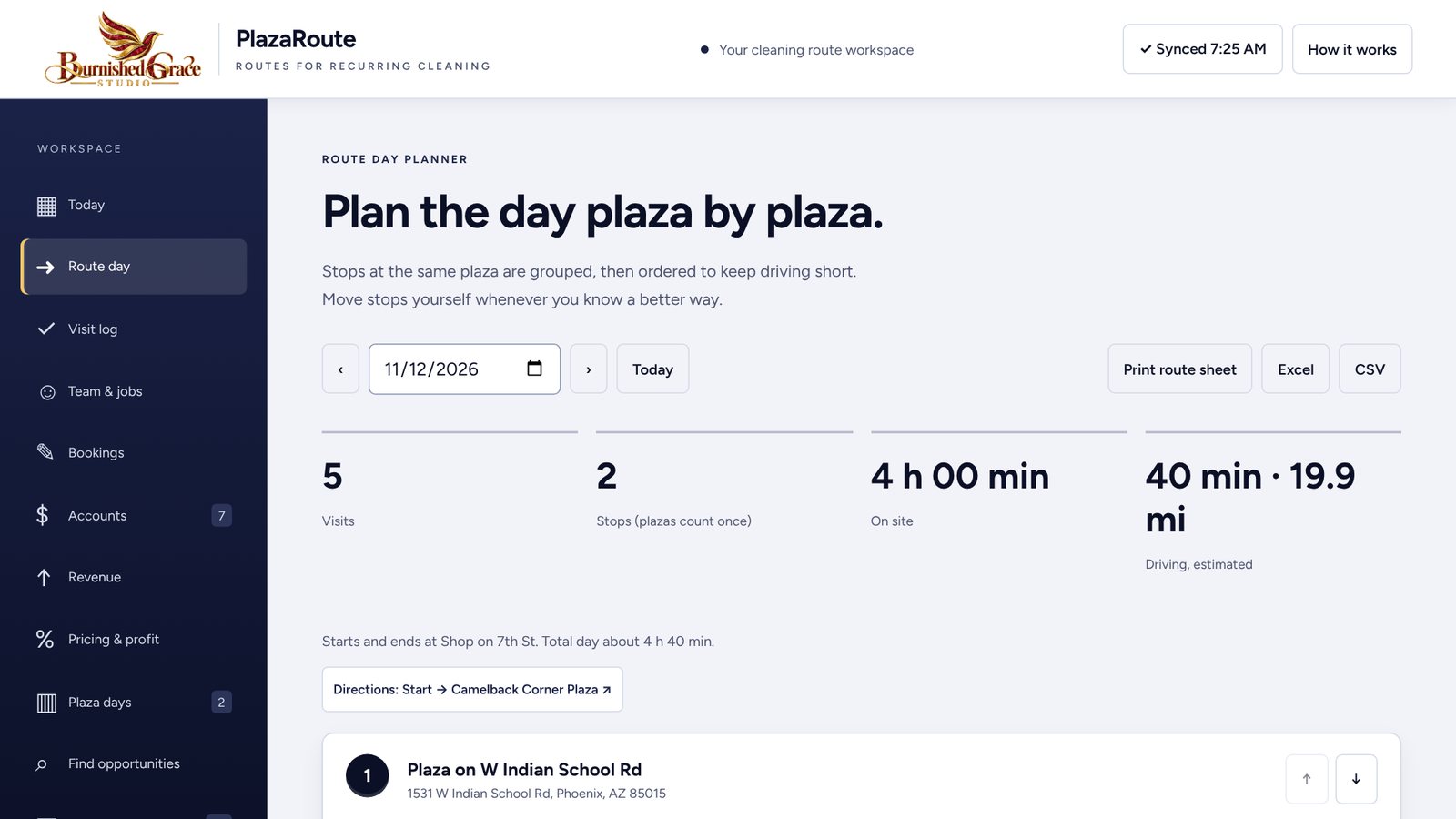
Customers at the same plaza count as one stop. Stops are put in a short driving order from your home base, with directions and a printable route sheet.
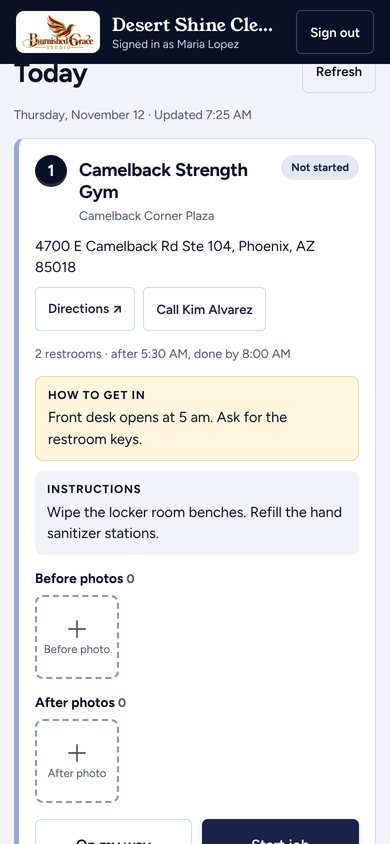
Each cleaner sees only their own jobs, never your prices. They send before-and-after photos and tap Job complete, and the visit is marked Done for you.
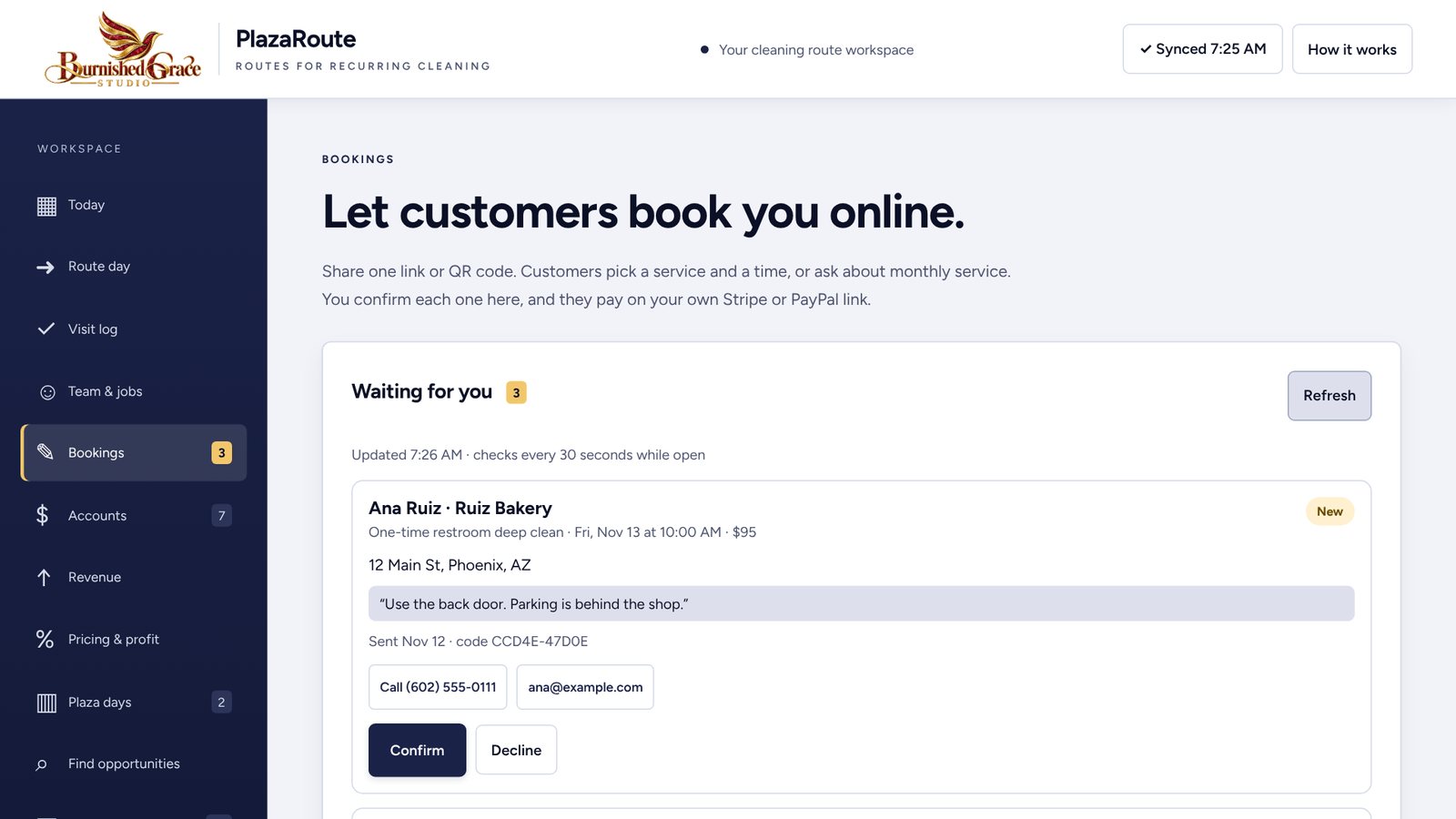
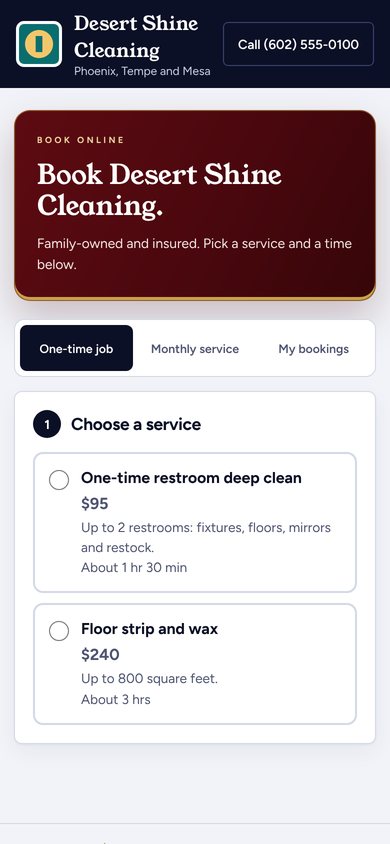
Your own booking link and QR code. Customers book one-time jobs at your open times or ask for monthly service, and you confirm each one.
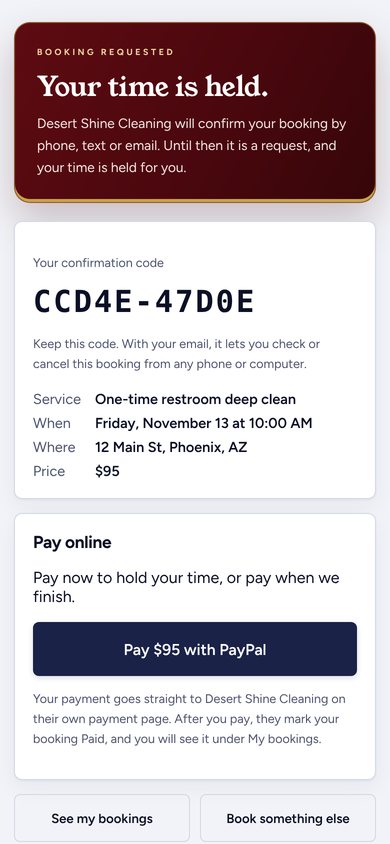
Customers pay on your own Stripe or PayPal link. PlazaRoute never touches the money; you mark each booking Paid.
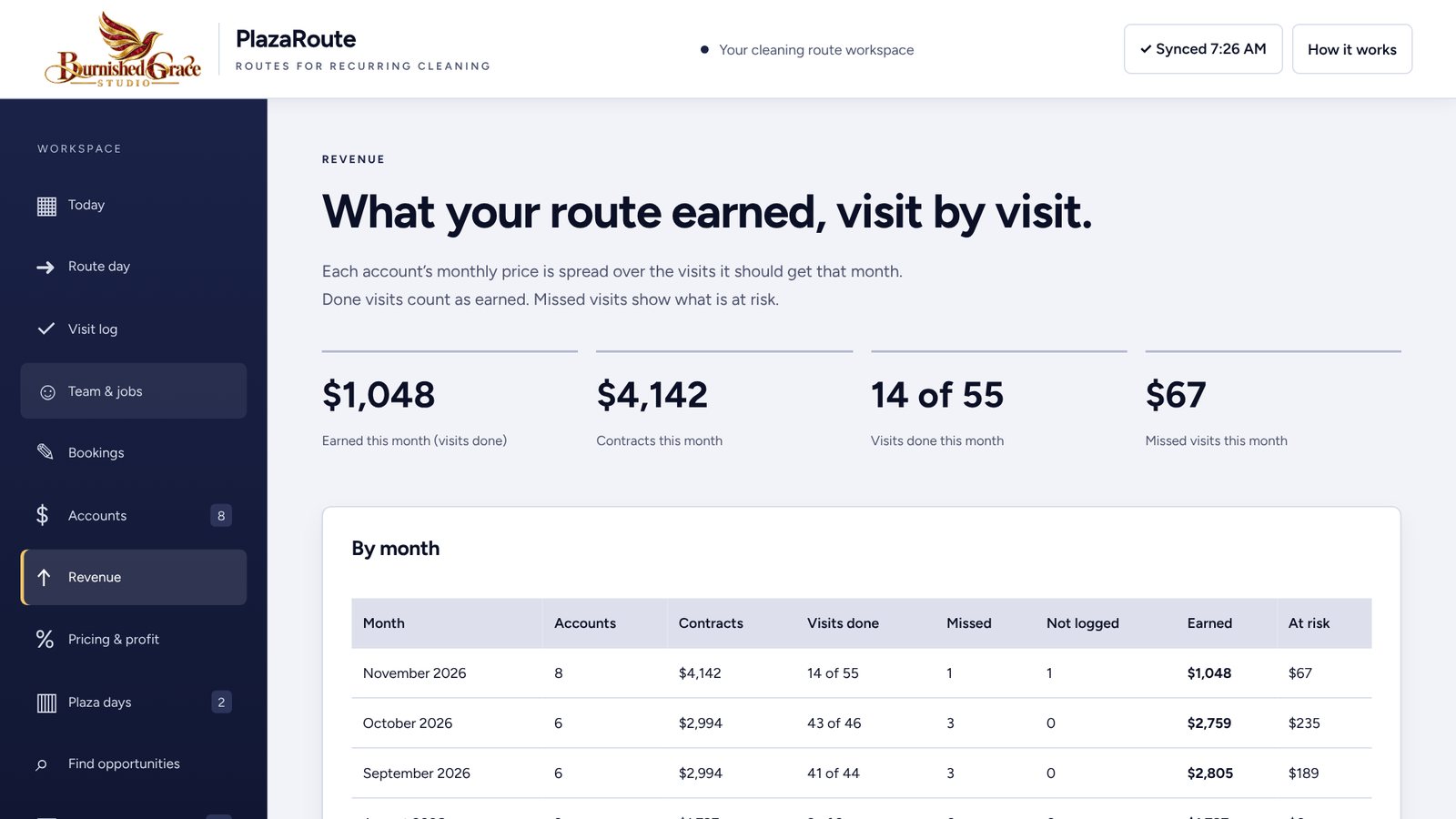
What each month and week earned, what missed visits put at risk, and a profit check that shows the price to quote before you quote it.
Search your city for restaurants, salons, gyms, offices and more, keep a prospect notebook, and plan plaza days with the property manager.
Mac, Windows, and a phone and tablet version, with Sync, your team and bookings in your own free Supabase account.
For one cleaning business
$107.00
A free Supabase account of your own for Sync, your team and online bookings, and web hosting you choose for the phone version, your cleaners’ page and your booking page. To find new businesses you need a search key from Geoapify, which offers a free starter plan. You set up each account yourself; the guides walk you through it.
No. Customers pay on your own Stripe Payment Link or PayPal link, straight to you. PlazaRoute never touches the money and doesn’t confirm payments for you, so you mark each booking Paid when the money arrives. Refunds are made in your own Stripe or PayPal account.
No. It writes the messages, like confirmations and invitations, and you send them yourself by text or email. It also doesn’t notify you when a booking comes in, so check Bookings once or twice a day.
Only their own jobs: the address, directions, how to get in, your instructions and the customer’s note. Never your prices, your other customers, your prospects or each other.
On your own computer or phone, and in your own Supabase account when you turn on Sync. They are never sent to us. Download a backup once a month.
No. PlazaRoute does everything CleanReach does, and a CleanReach backup can be restored into PlazaRoute to bring your prospects, plazas and business profile across.
After your PayPal payment goes through, the shop gives you your download link and emails it to your PayPal address. For help, email inquiry@BurnishedGraceStudio.com with your receipt.